 ThreadView
A reader for Gmail. Quiet, fast, yours.
ThreadView opens any Gmail conversation in a clean, distraction-free reading view — no sidebar, no labels, no chat panel. Just the thread, formatted for reading. Nothing leaves your browser.
Free. No account. Works on Gmail and Google Workspace inboxes.
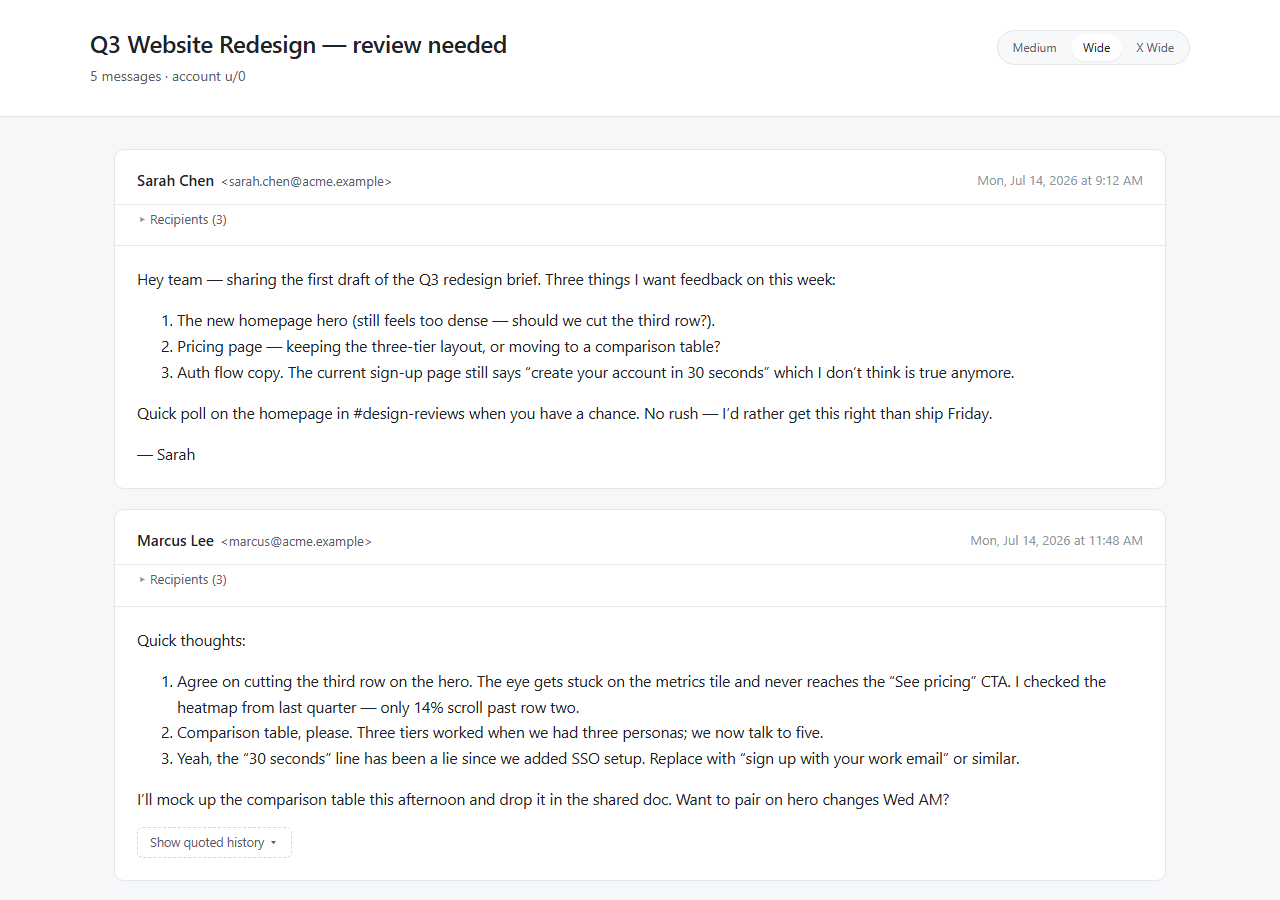
Reading, not triaging.
Email threads are conversations, but the Gmail UI is a control panel — search bar, label sidebar, account switcher, chat dock, ads, summary previews. ThreadView keeps the thread and removes the rest. Quoted history collapses by default, recipients fold into a single line, inline images load, and the typography is tuned for long reading sessions.
Cleaned HTML
Email senders' inline styles are sanitized so the thread reads in your typography, not theirs.
Smart quoting
Replies show only what's new. Quoted history is collapsed unless that's all there is.
Width control
Three reading widths — Medium, Wide, X Wide — to suit your monitor.
Your mail does not leave your browser.
ThreadView reads Gmail's own server-rendered print-view HTML using your existing browser session. There is no backend. No analytics. No telemetry. No remote logging. See the privacy policy for the full list of what's read and where it goes.
How it works.
- Open any Gmail conversation.
- Click the ThreadView button at the bottom-right of the Gmail tab.
- The thread opens in a new tab, formatted for reading.
Under the hood: ThreadView fetches Gmail's own print-view template
(?view=pt) using your existing
browser session, parses the resulting HTML in your tab, and renders it through a
sanitizing reader. No Gmail API, no OAuth, no Google verification — just the same
page Gmail's own Print button uses.